Payroll material in, in any format.
Your clients send their hours as PDFs, Excel sheets, photos or emails. Finanex reads the material, calculates pay under the right collective agreement and shows its reading next to the original for you to check. Approved material becomes payslips.
- Excel
- CSV
- Image
How it works
Four steps from your client’s material to finished pay.
Material in
Upload a file, or let your client send the material by email. AI reads the employees, hours and pay lines from it and matches them to the right people.
- Excel
- CSV
- Image
Collective agreements
33 Finnish collective agreements. Finanex picks the right one for each employee by rules and calculates overtime and shift differentials.
- 33 agreements
- Overtime
- Shift differentials
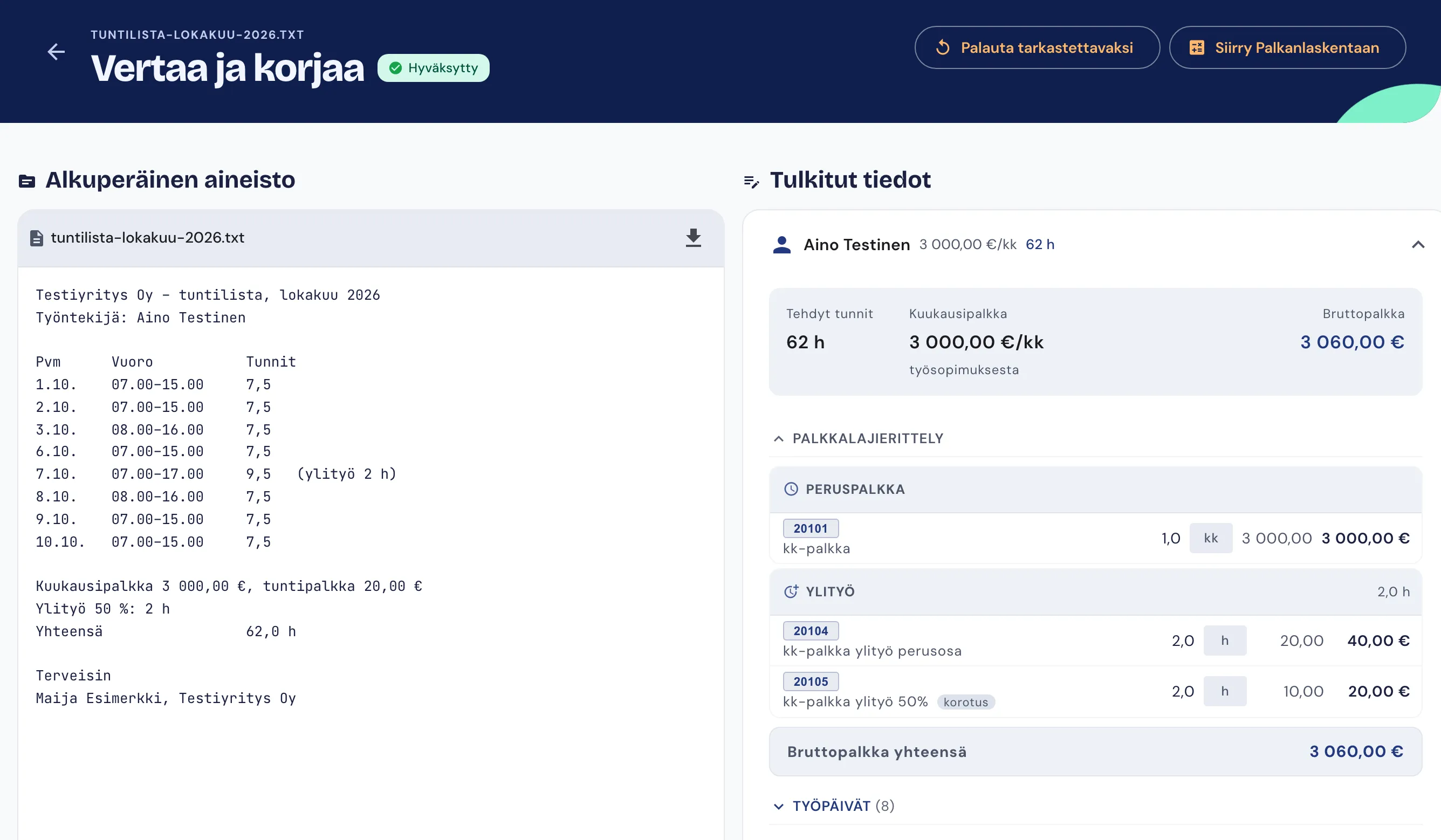
Side-by-side review
The original material and the AI’s reading are shown next to each other. You correct a line right there and approve the reading before anything is made from it.
- Original
- Reading
- Approval
Done
Approved material becomes payslips, SEPA payment batches and reports to the Incomes Register, with their deadlines tracked.
- Payslips
- SEPA
- Incomes Register
Employee portal
Employees are invited to a portal of their own, where they see their own details and take care of their part themselves.
Payslips
Their own payslips in one place.
Contact details and tax card
Employees update their contact details themselves and send a new tax card for the employer to approve.
Hour entry
Employees enter their hours in the portal and send the pay period’s hours to payroll.
Security
Payroll material holds personal identity codes, bank account numbers and pay, and Finanex treats it accordingly.
Payroll data and AI in the EU
Payroll material, documents and their AI processing stay in the EU.
Mandatory two-factor authentication
Every user confirms their sign-in with a code from an authenticator app. There are no exceptions.
Identity codes and account numbers hidden
Personal identity codes and bank account numbers are shown masked. When someone reveals one, the view is logged.
Book a demo
Tell us who you are and which company you are from, and we will arrange a demo. You can also write to us directly at myynti@finanex.fi.
Thank you for your demo request
Your request reached us. We will contact you at the email address you gave and arrange a time for the demo.
Your request could not be sent
A required detail was missing, or a detail was invalid or too long. Check your name, company and email address and send the form again.
You can also send your request by email to myynti@finanex.fi.
Your request could not be sent
The form takes a limited number of requests an hour, and the limit has just been reached. Please try again in an hour.
You can also send your request by email to myynti@finanex.fi.
Your request could not be sent
Your request did not reach us because of a technical fault.
You can also send your request by email to myynti@finanex.fi.